
Article by

Topics

One platform to manage the entire IT device lifecycle
GET STARTEDThe average office worker uses three devices to perform their job. Combine that with the software assets, cloud-based assets, and other data assets companies use in daily operations, and the asset count can grow quickly.
To ensure operational efficiency, security, and compliance, you need a streamlined system for monitoring and managing those assets. That’s where IT asset inventory comes in.
Want the IT Asset Inventory Template right now?
You can preview the template here, and use the download buttons below.
What is IT Asset Inventory?
IT asset inventory involves going through all of your IT assets — anything used in business operations — and making an accurate record of them throughout the entirety of the asset lifecycle.
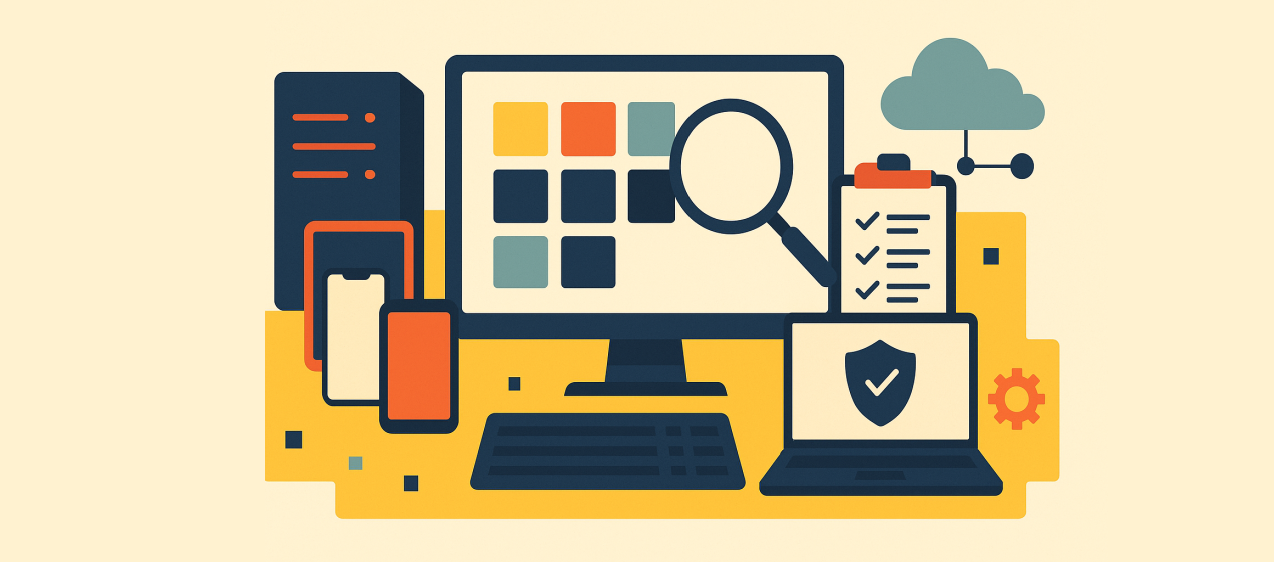
IT asset inventory can include hardware like computer monitors, laptops, tablets, mobile devices, and servers. Software can include operating systems, applications, security software, and productivity software.
Cloud-based assets can include SaaS subscriptions and data storage solutions. And additional data assets can include company documents, vendor contracts, employee records, and customer databases.
Implementing asset management serves four main purposes.
First, it provides maximum transparency and visibility, so you know asset details like:
- Which assets are in your IT environment
- Where they’re located
- When they’re in transit or storage
- Who has what
- What the cost and purchase date of each asset were
- Maintenance schedule
Second, it provides a high level of security and compliance. For example, by knowing what security software you’re using and when the last update was, it’s easier to maintain tighter control over your entire network, prevent unauthorized access, and reduce overall risk.
Third, IT asset inventory management can optimize your IT assets and save your organization money. If, for instance, you find that a SaaS subscription is underused, you could potentially discontinue it to avoid an unnecessary cost.
Finally, using the reports that are offered by many inventory management tools can be instrumental in making more informed decisions, so you can continually improve this area of IT operations.
How to Do an IT Asset Inventory
The asset management process involves carefully cataloging each asset in your organization’s operations. It starts with asset discovery and inputting detailed information so that your team has an accurate inventory overview.
Then, you’ll need to make regular audits to ensure your asset data is always up-to-date.
There are a few different approaches you can take with the asset management process that will mainly depend on the size of your organization, the number of IT assets in your inventory, the level of detail you want, and your budget.
Do it By Hand
This is the most basic approach to asset management and typically involves manually doing an IT asset inventory through either spreadsheets or a physical log.
Here, you’ll include information like IT asset type, serial number, who the user is, and the location of each hardware asset.
And to ensure the data is up-to-date, you’ll need to repeat the process regularly with frequent audits.
The pros of doing it by hand are that it’s simple and cost-effective, and it can potentially work well for a small organization. The cons are that it’s tedious and time-consuming, and it’s often more error-prone than using an asset management tool.
This brings us to our next option.
Use an IT Asset Inventory Management Tool
If you have a larger organization or don’t want to deal with the meticulous nature of doing an IT asset inventory by hand, this can be a great option.
By using a tool like allwhere, for instance, you can sync your current IT assets with your inventory and automatically add new ones you procure.
At a glance, you can see the location of each device, which employee has what, and when it’s in transit or storage.
Additionally, you can monitor when devices and software were purchased, when it’s time for upgrades, when something needs to be replaced, and more, while having detailed information at your fingertips.
Deploy an Endpoint Management Solution
If you want to take it one step further, this final option offers an even more robust solution. Besides monitoring every asset throughout the entire lifecycle, like an IT asset inventory management tool, an endpoint management system provides real-time control over assets.
So if you needed to deploy new software or perform troubleshooting on servers, you could use this solution to do it with ease. Or, if you needed to deploy a security patch, you could do so effortlessly to maximize network security.
Note that an endpoint management solution is typically used by larger organizations or enterprises with complex IT environments rather than smaller businesses with fewer inventory management needs.
Elements of an IT Asset Inventory
Earlier, we touched briefly on some specific types of IT assets that comprise an inventory. But let’s take a deeper look to see how they combine to make up a collective IT infrastructure.
Hardware Assets
This refers to anything physical that employees use in daily operations. Here are some examples.
- Desktop monitors
- Laptops
- Tablets
- Mobile phones
- Other mobile devices
- Printers
- Scanners
- Electronic accessories
- Servers
Knowing where each piece of hardware is located, who the assigned user is, what condition it's in, and when it needs to be upgraded or replaced is all critical to managing these assets, streamlining maintenance, minimizing downtime, and extending their lifespan.
Software Assets
Software involves things like applications, operating systems, and licenses that are used within your organization.
Some examples include:
- CRM software
- ERP software
- Security software
- Productivity software
- Collaboration tools
Using IT asset inventory is helpful here because it allows you to maintain an accurate inventory of your software assets, which makes it easier to stay compliant with licensing agreements and regulatory requirements, while preventing wasted money on underused platforms.
Cloud-based Assets
This involves services such as SaaS subscriptions to products like HubSpot, Slack, and Shopify. It can include data storage solutions for platforms like Google Drive and Dropbox.
And it can include cloud business services like Microsoft Azure and Amazon Web Services.
Given that 44% of small businesses and 74% of enterprises use cloud infrastructure or hosting services, including these types of assets in your inventory has become increasingly important.
Doing so provides greater transparency, helps control costs, enforces compliance, helps uphold higher security standards, and reduces overall risk.
Data Assets
While hardware, software, and cloud-based assets often receive most of an organization’s attention, it’s important not to forget about additional data assets, which can include the following.
- Company documents
- Employee records
- Customer credit card databases
- Intellectual property
- Business intelligence data
- Data backups
Because this type of data is highly sensitive, the utmost care should be taken to not only add it to your IT inventory but also protect it by controlling user access and enforcing strict security policies.
Excel IT Asset Inventory vs. IT Asset Inventory Management Software
If your team is just starting out with inventory management and has a relatively simple IT environment, using Excel spreadsheets may be a viable option.
It’s a simple and affordable solution for keeping up with IT inventory and offers the flexibility to add hardware, software, cloud-based, or any other assets you need.
But again, the main downsides are that it’s meticulous and it doesn’t allow for automatic updates. Therefore, you’ll likely need to make frequent audits.
And because of the potential for human error, you’re more likely to make mistakes when using Excel spreadsheets when compared to an asset management solution. That said, this can be a good choice for many companies, at least during the initial phases of IT asset management.
IT asset inventory management software, on the other hand, offers a full suite of features that can simplify and streamline nearly every aspect of asset management.
For example, automatic syncing, a single dashboard, upgrade reminders, expiring licenses and security alerts, and built-in reporting take much of the hassle out of the process.
There also tends to be a higher level of accuracy, so you don’t have to worry about human error being as much of an issue.
And if you’re part of a large team with a complex IT environment, IT asset inventory management software is highly recommended simply because of the scale of assets you need to manage.
How to Manage Asset Inventory with allwhere
If you’re looking for a one-stop shop for seamlessly managing asset inventory from a centralized platform, allwhere is right up your alley. allwhere is built to help companies automate the entire IT asset lifecycle from start to finish.
We offer IT procurement services at the beginning of the lifecycle. We also offer a laptop retrieval service, as well as collect many other devices at the end of their lifecycle.
And, of course, we specialize in inventory management, where you can automatically add existing and new IT assets to your inventory, track location and ownership, conveniently filter through assets via a simple dashboard, stay on top of maintenance and security, and keep tabs throughout each stage of the asset lifecycle.
With our IT asset management services and software, you get a hands-off experience, where you don’t have to worry about dealing with the complexities of IT asset inventory yourself.
By doing the heavy lifting and automating much of the process, you can save time, reduce your workload, minimize risk, and avoid unnecessary headaches.
And with our pay-as-you-go pricing with no platform fees, you can ensure the plan you get is right-sized for your organization, so you only pay for what you truly need. Learn more about our IT asset management services.

Tools for modern work
Subscribe to get a monthly email with all of the articles and guides we've written on how to equip employees to work from anywhere.