

Article by

Topics

One platform to manage the entire IT device lifecycle
GET STARTEDLooking to get the IT Asset Management Checklist right now?
You can preview the checklist here, and use the download buttons below.
There’s a lot more to IT asset management than just keeping track of who has what device.
You need a detailed strategy that covers the full asset management spectrum, from planning and procurement to decommissioning.
Here’s a complete checklist that covers everything.
Comprehensive IT Asset Management Checklist by Category
Planning
- Identify which assets your organization needs (laptops, mobile devices, software, cloud assets)
- Determine your budget for asset acquisition
- Perform vendor research
- Decide who will be the asset manager and establish an approval workflow
- Negotiate vendor contracts, including pricing, contract length, and terms of service
Procurement
- Choose vendors
- Order, track, and receive assets
- Inspect shipments to ensure accuracy and that there’s no damage
- Make asset records of purchase date, cost, and warranty expiration
Deployment
- Use configuration management to set access controls and security settings on devices
- Install apps, software, and cloud-based subscriptions
- Ship IT assets to employees while tracking the asset status from start to finish
- Document when the employee receives an asset
Management
- Use asset discovery and asset identification to create a working database of hardware, digital assets, cloud assets, and anything else in your inventory
- Keep records of which employee has what asset
- Maintain an asset inventory for continual asset visibility
- Create a device maintenance schedule to optimize performance and enhance security for each hardware asset
- Use asset management software for automatic notifications on when updates and maintenance need to be performed
- Record your maintenance history so that it’s always ready for an asset management audit
- Build an asset audit framework and decide how to share your audit findings
- Perform vendor management
- Identify trends and patterns through analytics
Storage
- Store currently unused assets in a safe, secure location
- Organize by hardware asset type, status, and purpose
- Develop an audit system for critical assets to ensure inventory accuracy
Retrieval
- Establish a workflow for retrieving equipment
- Determine when assets need to be resold, recycled, or decommissioned
- Securely back up important data
- Follow security best practices, such as data wiping
- Document the final disposition of decommissioned assets for audit readiness
What IT Asset Management is and Why it Matters
As you can see from this checklist, asset management best practices involve several elements.
But when you break it all down, it involves building a structured, standardized process that allows you to manage and track all your IT assets throughout their lifecycle.
Whether it’s a fixed asset like hardware or something digital like software or cloud technology, IT asset management creates workflows that help you keep everything in order and maintain maximum visibility.
At its core, asset lifecycle management keeps everyone in your organization on the same page and is critical for preventing communication breakdowns. It also sets the stage for smarter planning and execution.
And it’s important for many reasons.
First, it creates a single point of reference for IT inventory that everyone in your company can draw from.
Regardless of whether you’re doing enterprise asset management or on a much smaller scale, this prevents you from having asset data scattered across different platforms. That way, you can manage everything from a centralized software asset management dashboard.
Next, it can significantly reduce how much time you spend on managing assets. One of our surveys found that 37% of today’s companies spend over 21 hours per week on these tasks, and 25% spend 11 - 20 hours.
By creating a fully fleshed-out ITAM strategy that covers all of the bases discussed on this asset management checklist, you should be able to reduce this time and make better use of your manpower.
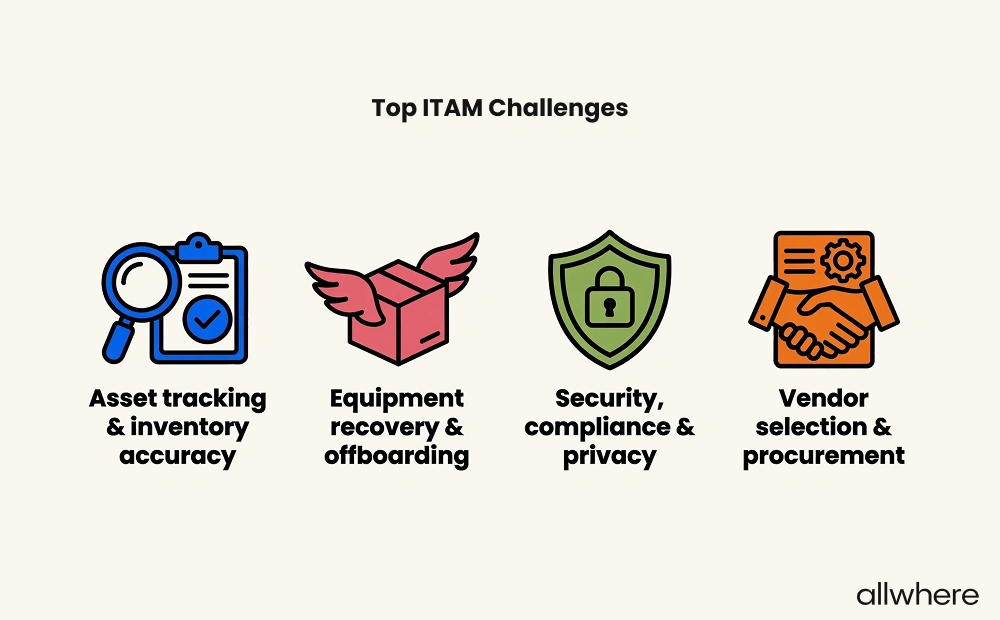
Third, you’ll be better positioned to overcome common asset management challenges, which, according to our survey, were:
- Asset tracking
- Inventory accuracy
- Equipment recovery
- Offboarding
- Security
- Compliance
- Privacy
- Vendor selection and procurement
By having established guidelines in place for your asset management process, you can eliminate many inefficiencies, improve hardware and software asset usage, boost asset performance, and create a better employee experience.
And finally, following asset management best practices is critical for bolstering security and compliance, as well as better controlling IT costs.
Essential Components of an IT Asset Management Checklist
For starters, there’s inventory management, which covers hardware management for physical assets, software management, and cloud management for things like SaaS subscriptions.
You’ll need to develop a system for 1) building a thorough inventory and 2) utilizing network discovery to continually add and remove new assets over time. This is essential for ensuring clear visibility throughout the lifecycle.
In terms of asset information used for inventory management, some common examples include employee ownership, location, serial number, purchase date, and warranty expiration.
Next, there’s asset tracking, where you have processes in place to track devices as they move from procurement to deployment to repair to retrieval, and so on.
Again, visibility is a critical part of hardware asset management, which is why you need workflows in place to continually keep tabs on all assets within your inventory.
Because of the logistical complexities, many companies opt for asset management software and/or IT asset management services like allwhere or InvGate Asset Management.
Both have been ranked as some of the best IT asset management companies.
These asset management tools are helpful because they seamlessly provide asset tracking as devices move from location to location, while also providing a bird’s-eye view of your entire IT inventory from a single dashboard.
There’s also asset accountability, where you determine who’s responsible for what tasks within your asset management workflows.
When retrieving devices, for example, you would need to assign a particular team member to send out retrieval kits with a return box, shipping label, and packing materials.
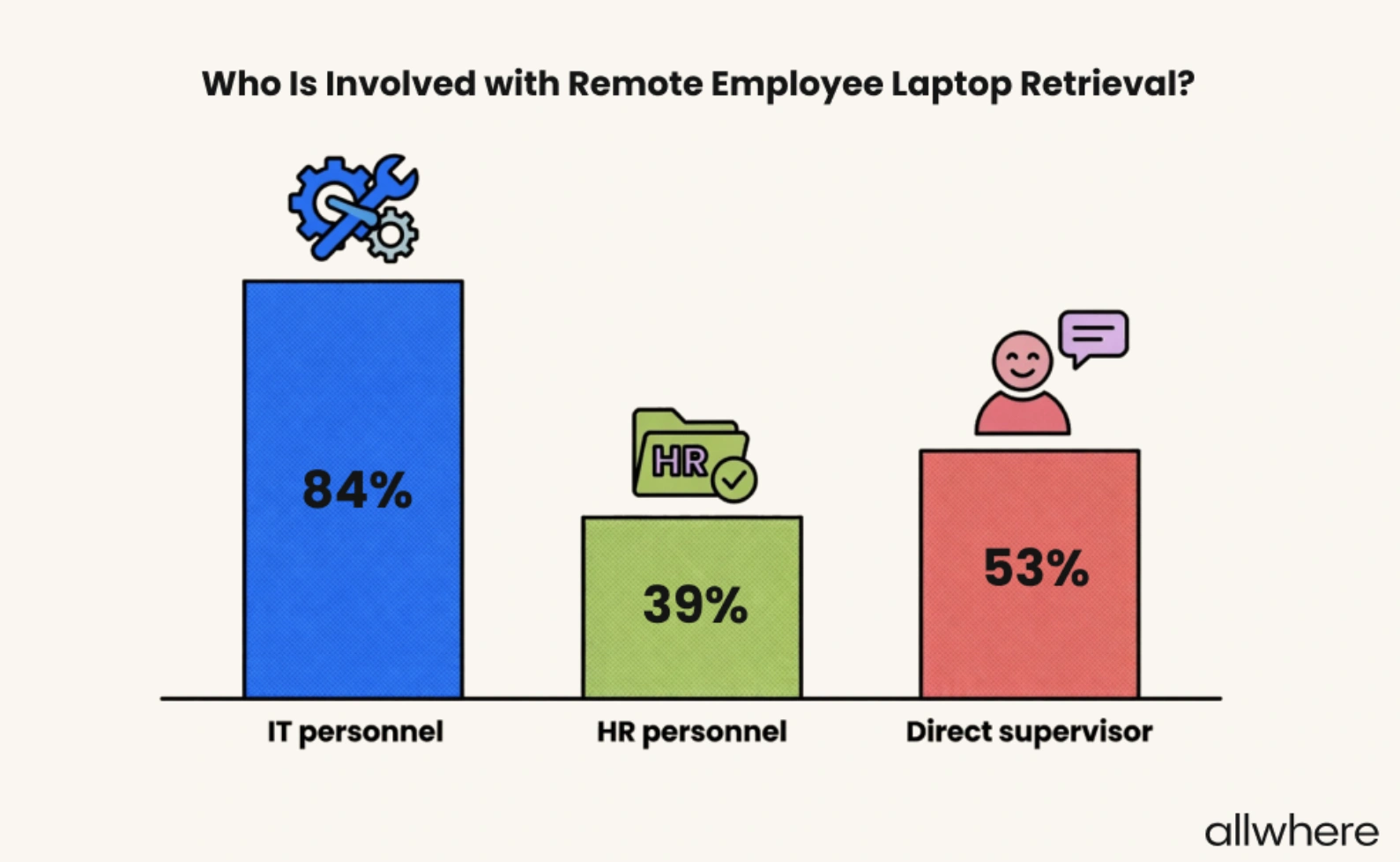
If you’re wondering who’s typically involved with employee device retrieval, our survey found that for 84% of companies it’s IT personnel, followed by a direct supervisor for 53% of companies, and HR personnel for 39% of companies.
Finally, there’s security and compliance, which can involve setting access restrictions, ensuring updates are completed, and wiping sensitive data when decommissioning a device during hardware asset management.
Creating and Implementing Your IT Asset Management Schedule
An IT asset management checklist highlights all of the tasks you need to perform. But the other part of the equation is determining when those checklist tasks need to be performed.
Say, for example, you purchase a new laptop for a remote employee.
When that happens, you would need to update your asset inventory to note when the laptop was purchased, which employee it was shipped to, when they received it, and so on for a thorough asset record.
Or say it’s time for an employee to offboard. This would trigger them being sent a return kit, as we discussed earlier on the checklist.
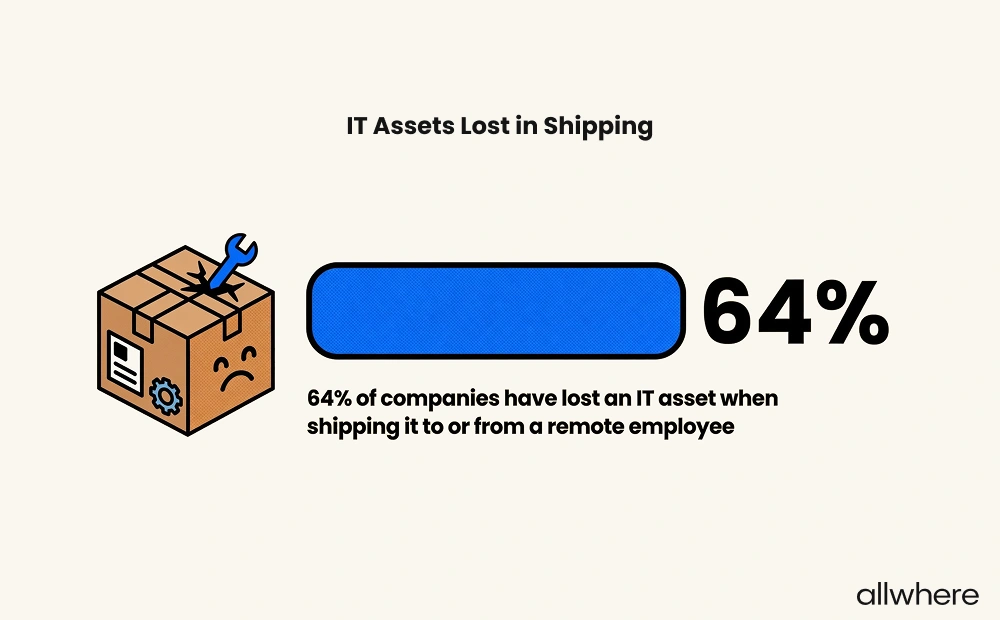
And if issues occur, such as IT assets being lost during shipment — this is something that’s happened to 64% of companies at some point — you’ll need to have someone to resolve the situation.
When it comes to frequency, we suggest writing down a schedule for each task to ensure nothing is overlooked.
For instance, assets that are in storage may need to be reviewed monthly, while you may want to perform a large-scale inventory asset audit quarterly or annually.
Another big aspect of IT asset management is deciding when to replace equipment like laptops and mobile devices. We wrote an extensive article on how often to replace a laptop, which you can read here.
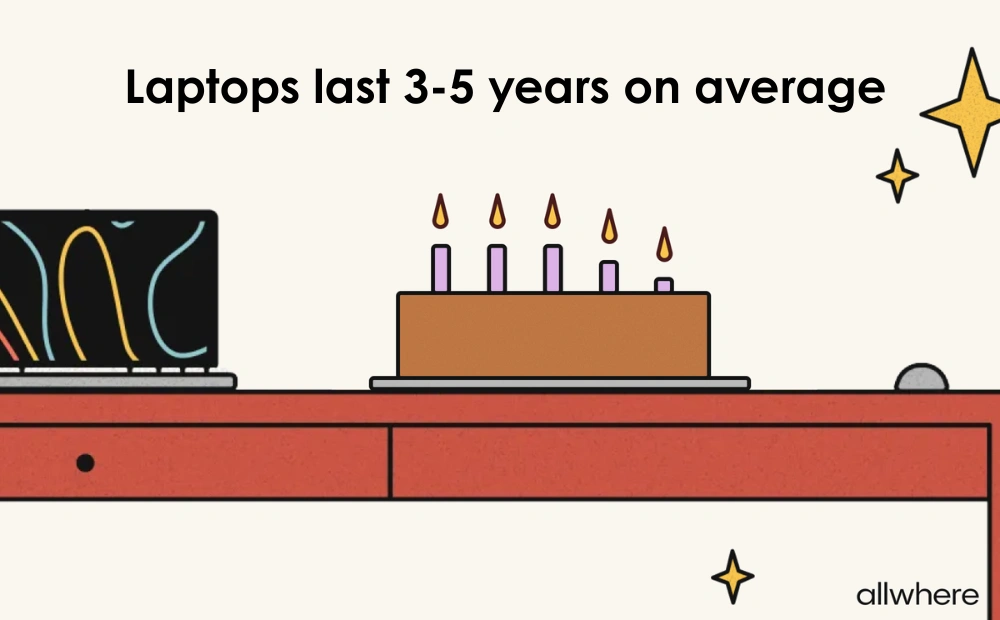
But one of our key findings was that laptops typically last three to five years on average.
And average annual depreciation looks like this.
Based on this hardware asset management data, year three is usually the time when businesses should at least consider laptop replacement, and five years should be the max.
Optimizing Your IT Asset Management Process
From better visibility and security to increased compliance and ROI, following IT asset management best practices is important on many levels.
But if you’re not comfortable with navigating the complexities, a smart move is to partner with a professional like allwhere who handles the asset management lifecycle from end to end.
Our asset management software and services automate the entire asset lifecycle and handle all of the logistics to make your ITAM simple and stress-free. All the while, we offer robust tracking and a single user-friendly dashboard so you’re always in the know and asset audit ready.
Get a full overview of how allwhere works here.
