
Article by

Last updated:
November 24, 2026
Published:
Topics

One platform to manage the entire IT device lifecycle
GET STARTEDManaging employee devices across multiple countries goes well beyond purchasing and shipping. When an employee in São Paulo leaves, you need a way to get the laptop back, wipe the data, and decide whether to store, redeploy, or retire it.
That process involves customs documentation, local logistics partnerships, and compliance verification at every stage.
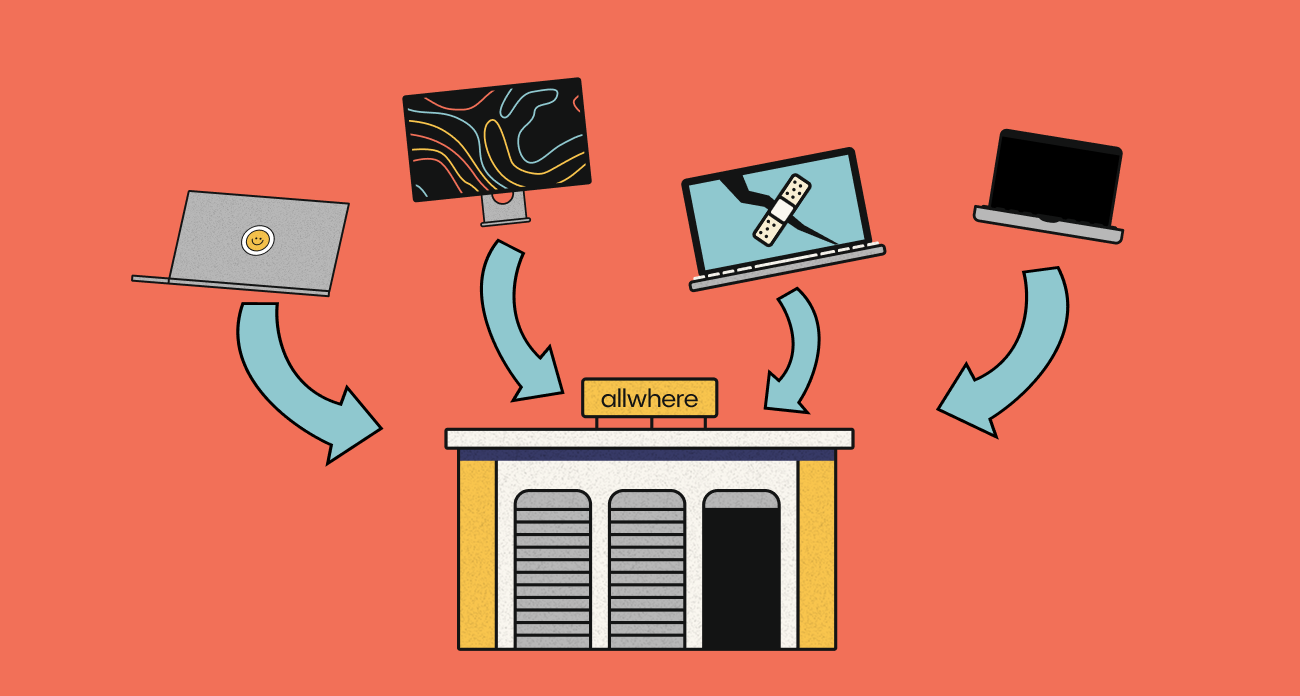
allwhere gives you end-to-end lifecycle coverage that connects procurement, deployment, retrieval, storage, and disposition under one managed program. For IT leaders evaluating equipment retrieval providers, knowing which alternatives address international laptop recovery and IT-led offboarding is the first step toward a well-informed decision.
This guide compares six providers on the criteria that matter most: global retrieval logistics, offboarding automation, lifecycle breadth, and operational support for distributed teams.
Quick guide: 6 best global equipment management providers for IT-led offboarding
- allwhere: The best end-to-end lifecycle management provider with global retrieval, NIST-level data wiping, storage, redeployment, and IT asset disposition under one pay-as-you-go program
- Workwize: Subscription-based hardware operations with ISO 27001 certification and automated lifecycle workflows across 130+ countries
- Deel IT: HR-triggered device collection and lifecycle management bundled into a broader workforce platform covering 130+ countries
- Rayda: Provisioning-first platform with device retrieval and telemetry monitoring across 170+ countries, including less commonly supported markets
- Unduit: Automated device recovery and asset lifecycle management with freemium entry and operations across 100+ countries
- Fleet: Leasing-first platform with 36-month renewal cycles and leaseback options across 150+ countries
How we chose the best equipment management providers for international retrieval
Comparing global equipment management providers requires looking past headline country counts. A provider may list 150 countries on its website, but the question is whether it can actually collect a laptop from a residential address in each of those markets. Here is what we evaluated.
- International retrieval depth: Can the provider coordinate local pickups, prepaid return kits, customs documentation, and cross-border shipping in each market you hire in?
- Offboarding automation: Does retrieval trigger automatically from an HRIS exit event, or does your team need to raise each request manually?
- Post-retrieval handling: Once a device comes back, what happens next? We looked for certified data wiping, condition grading, storage, redeployment, and responsible end-of-life disposition.
- Lifecycle breadth: Retrieval is one stage. We prioritized providers that connect procurement, deployment, inventory tracking, and disposition so you are not stitching together multiple vendors.
- Integration ecosystem: Does the provider connect with your existing HRIS, MDM, identity, and ITSM tools so device workflows stay in sync with workforce events?
- Commercial flexibility: We compared pay-as-you-go models, seat-based subscriptions, and custom enterprise contracts to help you match the pricing structure to how your organization budgets.
The 6 best global equipment management providers for IT-led offboarding
1. allwhere: Best overall provider for end-to-end device lifecycle management
allwhere manages the full IT asset lifecycle from procurement to retirement under one managed program. Instead of coordinating separate vendors for purchasing, shipping, retrieval, and disposition, your team works with a single provider that handles the operational execution behind every device.
For retrieval, allwhere ships each departing employee a prepaid, padded return kit, tracks the device back to a secure facility, and applies NIST-level data wiping. The device can then be stored in allwhere's warehousing network, redeployed to the next hire, or responsibly recycled.
allwhere operates on a pay-as-you-go model with no subscription fees, no setup costs, and no minimums. The platform integrates with HRIS tools like BambooHR, Workday, and Justworks, as well as MDM providers including Jamf, Okta, and Microsoft Entra ID.
allwhere features
- Global retrieval with return kits: Prepaid, padded return kits shipped directly to departing employees, with tracking and automated reminders that reduce the follow-up burden on your IT team.
- NIST-level data wiping: Every returned device receives certified data destruction with documented chain of custody, giving you an audit-ready compliance trail.
- Centralized fleet visibility: A single dashboard shows who has which device, where it is, and what condition it is in, replacing manual spreadsheet tracking with real-time data.
- Storage and redeployment: Returned devices are inventoried in secure warehouses and can be shipped to the next hire within days, reducing procurement costs and wait times.
- IT asset disposition: Devices that have reached end of life are resold or recycled responsibly, helping you recoup value and support sustainability goals.
- 150+ integrations: Native connections with HRIS, MDM, identity, procurement, and ITSM tools mean device lifecycle actions stay in sync with your existing workflows.
allwhere pros and cons
Pros:
- End-to-end lifecycle coverage under one provider eliminates the need to coordinate multiple vendors across regions.
- Pay-as-you-go pricing with no subscription commitments or minimums gives you cost flexibility as your team scales.
- Automated HRIS syncing turns workforce events into device lifecycle actions, reducing manual coordination for IT and HR.
Cons:
- Coverage is concentrated in the Americas and Europe, with fewer locations listed in Asia and Africa, but coverage is always expanding and allwhere can work with you on your specific needs.
- The platform interface is still evolving. Some users on G2 have noted opportunities for improved navigation.
- Custom quoting for international programs means you may need a conversation with the sales team before comparing costs directly.
2. Workwize: Subscription-based lifecycle management with ISO 27001 certification
Workwize packages device procurement, storage, pickup, repair, and automated lifecycle workflows into tiered subscription plans. The platform offers procurement in 130+ countries with local warehousing and in-country suppliers.
Workwize holds ISO 27001 certification alongside SOC 2 Type II compliance, which may matter if your procurement team has specific security framework requirements.
Retrieval connects to automated offboarding and pickup workflows, while higher subscription tiers add broader regional coverage, automatic deployment, restocking, and API access. Workwize also includes furniture and home-working setups alongside IT equipment.
Workwize features
- Tiered subscription plans: Three subscription tiers scoped by regions, user count, and included services let you scale coverage as your team grows.
- Automated offboarding workflows: HRIS-triggered retrieval and pickup workflows reduce the manual coordination required during employee departures.
- Furniture and peripherals catalog: You can order office furniture and home-working equipment from the same platform as IT hardware.
Workwize pros and cons
Pros:
- ISO 27001 and SOC 2 Type II certifications address enterprise security and compliance requirements.
- Furniture and home-working setups are available alongside IT equipment from a single provider.
- The platform includes an MCP integration for connecting AI assistants to lifecycle workflows.
Cons:
- The Basic plan has a 150-user minimum and covers only three regions, limiting flexibility for smaller or widely distributed teams.
- G2 reviewers have reported retrieval issues in some regions, including missing packing materials and missed pickups.
- SCIM and API access are available only on the Enterprise tier, which may require a larger commitment than some teams need.
3. Deel IT: HR-triggered device management inside a broader workforce platform
Deel IT is part of the Deel HR platform and runs HR-driven IT automation. Hires, role changes, and exits trigger device orders, access updates, and security changes. The platform covers compliant logistics across 130+ countries and includes IT support and the option to buy or rent devices.
For offboarding, Deel IT includes a workflow builder that automates device collection when a worker is terminated. The system contacts the departing employee, coordinates pickup, and routes the device to storage, reassignment, or clearance based on device age thresholds you set.
Deel IT features
- Automated offboarding workflows: Device collection triggers automatically when a worker is offboarded, with configurable device age thresholds for routing returned hardware.
- On-platform MDM: Integration with JumpCloud provides device visibility, remote lock and wipe, and policy enforcement from the same interface as HR workflows.
- Buy or rent options: You can purchase or rent devices on the same platform, with lifecycle management handling deployment through retirement.
Deel IT pros and cons
Pros:
- HR events directly trigger device actions, reducing the coordination gap between people operations and IT.
- IT support covers repairs, replacements, and loaners for teams without dedicated IT staff.
- On-platform identity controls allow app access management without switching to a separate tool.
Cons:
- Lifecycle management requires a seat-based commitment, typically for 12 or 24 months, which limits flexibility for teams with fluctuating headcount.
- Some services, including store-and-reuse and loaners, run on credits rather than unlimited use.
- The platform is most useful for teams already running HR and payroll on Deel. Adopting it solely for device management adds a broader platform dependency.
4. Rayda: Procurement-first platform with coverage in less commonly supported markets
Rayda is available in 170+ countries for device procurement, management, retrieval, storage, and insurance. The platform includes markets that few other providers support, such as Algeria, Saudi Arabia, South Africa, and Tajikistan. Rayda states that it can equip remote employees in 48 to 72 hours.
For offboarding, Rayda coordinates device retrieval with local logistics and routes returned devices to storage, redeployment, or recycling. The platform also supports multi-entity management, allowing global companies to manage IT operations across subsidiaries and cost centers from one account.
Rayda features
- Coverage in 170+ countries: Procurement and retrieval in less commonly supported markets help teams that hire in regions outside North America and Europe.
- Multi-entity management: Manage devices, offices, and cost centers across multiple subsidiaries from a single platform.
- MCP server integration: AI assistants can query operational data and trigger workflows through the Rayda MCP server.
Rayda pros and cons
Pros:
- Broad geographic coverage includes markets in Africa, the Middle East, and Central Asia that competitors do not list.
- Multi-entity management gives large organizations visibility across subsidiaries and cost centers.
- Device insurance is available as an add-on, covering losses and damages during the lifecycle.
Cons:
- No pricing is published on the website. Rates depend on fleet size, countries, and frequency of use, so you need to contact sales for any cost estimate.
- The 48 to 72 hour delivery claim is self-reported. Confirm delivery and retrieval timelines for each country you hire in.
- The platform is relatively newer compared to established providers, so verify the depth of post-retrieval processing in your specific markets.
5. Unduit: Automated device recovery with a freemium entry point
Unduit offers a freemium IT asset management platform with additional managed services for device procurement, retrieval, storage, repair, refurbishment, resale and recycling. Its recovery operations span 100+ countries, with chain-of-custody tracking and data sanitization to support compliance.
Unduit features
- Freemium entry: Free ITAM and ITSM software, with additional services available as customers need them.
- Chain-of-custody documentation: Tracking and documentation from collection through disposition provide an audit trail for compliance reviews.
- Post-recovery routing: Recovered devices can be routed to storage, repair, redeployment, resale, or recycling based on your requirements.
Unduit pros and cons
Pros:
- A freemium entry point lets you evaluate the retrieval workflow with minimal financial risk.
- Operations across 100+ countries support globally distributed teams.
- Chain-of-custody records and data sanitization address compliance and security requirements.
Cons:
- G2 reviewers have noted that the platform layout and sorting filters could be improved.
- Initial integration may require additional configuration time for teams with complex IT environments.
- Pricing beyond the free tier requires a custom quote, which limits the ability to compare costs upfront.
6. Fleet: Leasing-first platform with leaseback options
Fleet provides IT equipment through leasing or purchasing across 150+ countries. The leasing model runs on 36-month cycles, with devices renewed at the end of each term.
Fleet also offers leaseback for devices you already own, allowing you to sell existing hardware to Fleet and lease it back to free up capital.
The platform covers procurement, security, and device management under one interface. Fleet states that 2,000+ IT teams use the platform, and it supports both leasing and buying on a per-order basis.
Fleet features
- Lease or buy flexibility: Choose between leasing with predictable monthly payments or purchasing outright on a per-order, per-entity, or per-contract basis.
- Leaseback program: Sell devices you already own to Fleet and lease them back, converting owned hardware into operational expense.
- Coverage in 150+ countries: Procurement and device management across a broad international footprint.
Fleet pros and cons
Pros:
- Leaseback allows you to free up capital from existing hardware without replacing it.
- The option to lease or buy per order gives flexibility within the same platform.
- Coverage across 150+ countries supports international hiring and device logistics.
Cons:
- Leasing contracts run on 36-month terms, which may be restrictive for companies that want to refresh devices more frequently or avoid long-term commitments.
- No pricing is published on the website. All rates are quote-based.
- Companies that prefer to purchase devices outright and use a flexible, pay-as-needed partner for storage, retrieval, and lifecycle services may find Fleet's leasing-first approach less aligned with their needs.
What should IT teams consider when choosing a global retrieval provider?
Selecting a retrieval provider starts with understanding what actually happens after a device is returned. A provider that gets the laptop back but cannot wipe, store, or redeploy it leaves your team coordinating the remaining steps separately. Look for providers that connect retrieval to the rest of the device lifecycle.
Country-level verification matters more than headline numbers. Ask each provider whether it can collect from residential addresses in the specific countries where your employees work. Confirm whether customs, duties, and carrier logistics are handled by the provider or passed back to your team.
Integration with your HRIS is a practical dividing line. If retrieval triggers automatically from a termination event in BambooHR or Workday, your team does not need to remember to raise a request. That automation reduces missed retrievals and the follow-up work that comes with them.
How does IT-led offboarding reduce security risk for distributed teams?
Every day a company device remains with a former employee is a day of potential data exposure. Remote wipe through MDM removes data only if the device connects to the network. If the laptop is switched off or never reconnected, the data stays on the drive.
A structured retrieval process that includes physical device collection and certified data destruction closes that gap. allwhere's retrieval program pairs automated employee communications with NIST-level wiping and documented chain of custody.
According to a Ponemon Institute study, the average cost of a lost laptop reaches tens of thousands of dollars per incident once data breach exposure and replacement are factored in.
Centralizing offboarding device workflows under one provider also removes the overhead of managing separate retrieval, wiping, and disposition vendors. Your team gets a single dashboard showing where every device is in the return process.
Why allwhere is the best provider for global equipment lifecycle management
allwhere connects every stage of the device lifecycle under one program. Your team does not need to coordinate separate vendors for procurement, deployment, retrieval, storage, and disposition. That operational consolidation removes the handoffs where devices and data get lost.
The pay-as-you-go pricing model means you pay only for the services you use, with no subscription fees and no minimums. For IT teams managing variable headcount across multiple countries, that flexibility avoids locking into seat-based commitments.
allwhere also integrates with more than 150 HRIS, MDM, identity, and ITSM tools. When someone joins, allwhere can procure, configure, and ship a role-based device kit so they are productive from day one.
When someone leaves, allwhere retrieves the equipment, wipes it, and returns it to inventory without follow-up from HR or IT. That automation is what separates a managed lifecycle program from a collection of point solutions.
FAQs about global equipment management and laptop retrieval
What is a global equipment management provider?
A global equipment management provider handles the operational work behind employee devices across multiple countries, including procurement, deployment, retrieval, storage, and disposition. allwhere manages all of these stages under one program, so your IT team works with a single provider.
How does automated offboarding improve device retrieval rates?
Automated offboarding connects your HRIS termination events directly to retrieval workflows. When a departure is recorded, the system dispatches a return kit, sends reminders, and tracks the device through receipt and data wiping. allwhere removes the dependency on someone remembering to start the process manually.
What happens to a device after it is retrieved?
After retrieval, the device is inspected, data-wiped to compliance standards, and routed based on its condition. allwhere can store the device for future redeployment, ship it to the next hire, or handle resale and recycling through its IT asset disposition program. Each step is documented for audit purposes.
Why is NIST-level data wiping important during offboarding?
NIST 800-88 is a recognized standard for media sanitization that specifies how data should be destroyed to prevent recovery. allwhere applies NIST-level wiping during offboarding and provides certified destruction with per-device documentation for audit purposes.
Can a single provider handle both procurement and retrieval globally?
Providers that connect procurement and retrieval under one program reduce the complexity of managing devices across countries. allwhere handles sourcing, configuration, deployment, retrieval, storage, and disposition in one workflow.
A device procured for a new hire in London can be retrieved, wiped, and redeployed to the next hire in Toronto without changing providers.
