
Article by

Topics

One platform to manage the entire IT device lifecycle
GET STARTEDWhen your team spans multiple offices, co-working spaces, and home setups across several countries, keeping track of every laptop, monitor, and peripheral turns into an operational challenge that no spreadsheet can solve. You need complete visibility into who has what device, where it is, and what condition it's in.
That's why IT asset management tools have become a priority for IT leaders at distributed organizations. The right platform connects procurement, deployment, tracking, retrieval, and retirement so nothing slips through the cracks.
This guide compares six platforms built for multi-location teams, starting with allwhere, and walks you through evaluation criteria, key differentiators, and practical questions to help you choose.
Quick guide: 6 best IT asset management tools for multi-location teams
- allwhere: The best end-to-end IT asset lifecycle platform for distributed teams needing global procurement, retrieval, and storage in one system.
- Rippling: A unified HR and IT platform with device management modules tied to employee lifecycle events.
- GroWrk: A hardware logistics platform covering procurement and retrieval in 150+ countries.
- Firstbase: A lifecycle management platform with warehouse networks and HRIS-triggered onboarding workflows.
- Deel: A global workforce platform with IT device management features layered into compliance-first operations.
- Workwize: A hardware operations platform with automated restocking and region-specific device catalogs.
How we chose the best IT asset management tools for multi-location teams
Comparing IT asset management platforms requires more than a feature checklist. We evaluated each tool based on how well it solves the actual problems IT leaders face when managing devices across cities, time zones, and borders.
- End-to-end lifecycle coverage: Does the platform handle procurement, deployment, inventory tracking, retrieval, storage, and disposition, or does it only cover part of the cycle?
- Global logistics and regional warehousing: Can you deploy and recover devices in the countries where your team actually works, with local fulfillment that avoids cross-border delays?
- HRIS and MDM integrations: Does the platform connect to your existing identity, payroll, and device management tools to trigger automated workflows during onboarding and offboarding?
- Fleet visibility and reporting: Can you see every device, its assigned owner, location, condition, and lifecycle status from a single dashboard?
- Data security and compliance: Does the platform provide certified data wiping, chain-of-custody documentation, and audit-ready reporting for regulatory requirements?
- Operational support model: Is the vendor a self-serve software tool, or does it offer managed services with dedicated account support and hands-on logistics?
The 6 best IT asset management tools for multi-location teams
1. allwhere: Best overall IT asset management tool for multi-location teams
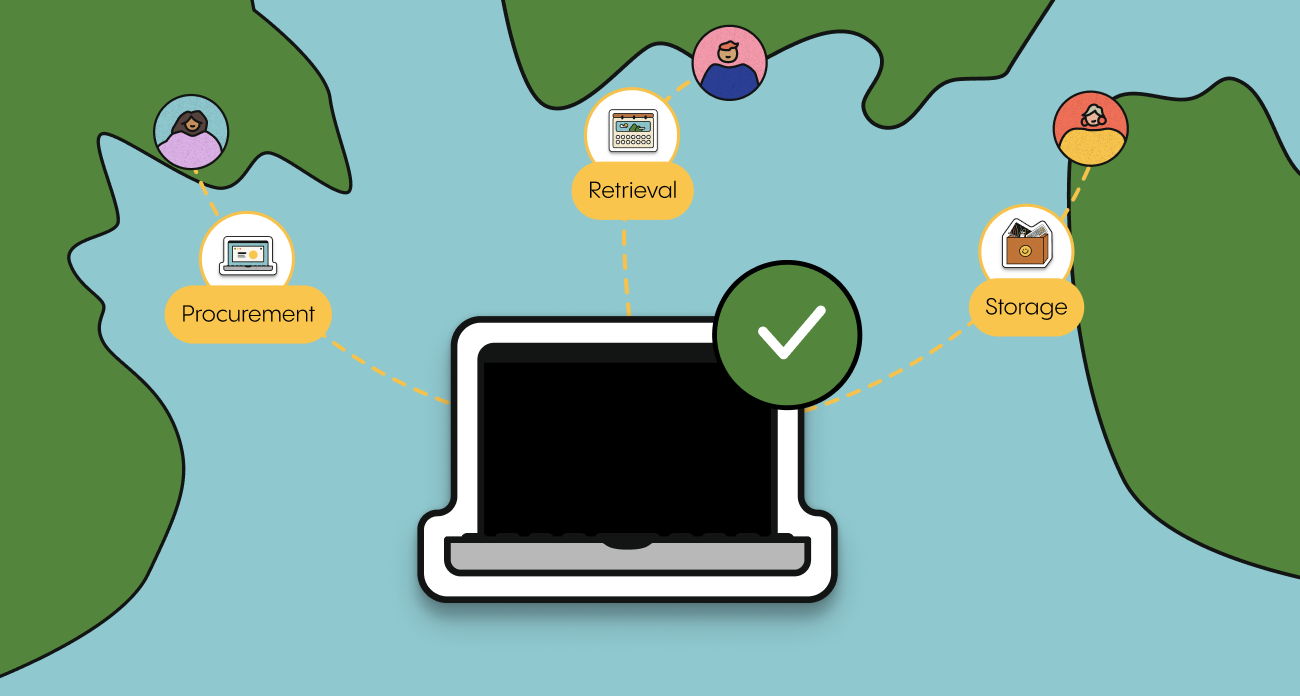
allwhere combines powerful IT asset management software with hands-on operational support to manage the entire device lifecycle, from procurement and deployment to retrieval, storage, redeployment, and retirement. Unlike software-only platforms that leave IT teams responsible for coordinating the physical work, allwhere acts as an extension of your IT team, managing the vendors, logistics, employee communications, and day-to-day execution behind every device.
Built for distributed and multi-location organizations, allwhere supports device operations across 100+ countries through a global network of vendors and regional warehouses. IT teams get one centralized platform to manage their fleet, track orders, monitor inventory, automate workflows, and make lifecycle decisions, while allwhere's operations team handles the physical execution.
What makes allwhere stand out is its flexibility. Companies aren't locked into a rigid hardware catalog, a single vendor, or an expensive subscription model. They can source the equipment their employees need, build workflows around their existing IT processes, and use as much or as little operational support as they need. With no setup fees, subscriptions, or minimum commitments, organizations pay only for the services they use.
From sourcing hard-to-find hardware and configuring new employee devices to coordinating international returns, securely wiping equipment, and storing laptops until they're needed again, allwhere combines technology with real people who get the work done.
allwhere features
- Flexible global procurement: Source laptops, monitors, accessories, and other equipment through a broad vendor network without being locked into a single supplier or limited catalog. allwhere works to find the right equipment for your needs, with regional sourcing that helps reduce shipping costs, customs complications, and fulfillment delays.
- Zero-touch deployment and device configuration: Ship work-ready devices directly to employees, with MDM enrollment and configuration through your existing tools, including Jamf and Microsoft Intune. allwhere coordinates procurement, staging, configuration, and delivery so IT doesn't have to manually prepare and ship every device.
- Centralized fleet visibility and lifecycle management: Get a real-time view of your entire device fleet in one dashboard, including assigned, unassigned, in-transit, and stored equipment. Track ownership, location, condition, warranty, and lifecycle status, then take action on devices for deployment, repair, retrieval, resale, or recycling.
- Fully managed retrievals and employee communications: Offboarding doesn't stop at sending a return label. allwhere coordinates the entire retrieval process, including employee communication, prepaid return kits, shipment tracking, follow-ups, and secure device processing. IT can monitor every return without chasing employees or managing shipping logistics.
- Buy & Hold, secure storage, and redeployment: Purchase equipment ahead of demand and store it in an allwhere facility until it's needed. Recovered and spare devices remain inventoried and ready for redeployment, helping companies respond to new hires, replacements, and refresh cycles without keeping excess hardware in office storage.
- Complete device disposition: Extend the useful life of recovered equipment through inspection, processing, repair, and redeployment. When devices reach end of life, allwhere coordinates resale or responsible recycling, helping companies recover asset value and maintain visibility into disposition.
- Flexible, pay-as-you-go pricing: No setup fees, monthly subscriptions, or minimum commitments. Companies pay for the procurement, deployment, retrieval, storage, and other services they actually use, with transparent pricing that scales alongside their fleet.
allwhere pros and cons
Pros:
- Software and execution in one solution: Combines a centralized IT asset management platform with a hands-on operations team that manages the physical work, from procurement and deployment to retrieval, storage, and disposition.
- More flexibility than a fixed-service model: No mandatory subscriptions, minimum commitments, or single-vendor hardware restrictions. Organizations can choose the services they need and adapt their program as requirements change.
- An extension of your IT team: Dedicated account management and operational support help coordinate complex orders, international logistics, exceptions, and device lifecycle needs.
- Works with your existing technology stack: 150+ integrations across HRIS, MDM, identity, and ITSM platforms, including Workday, BambooHR, Jamf, Okta, and Microsoft Entra ID, plus API capabilities for custom workflows.
- Global reach with local execution: Supports procurement, deployment, retrieval, and storage across 100+ countries, with regional fulfillment and local operational coordination.
- Designed for the entire device lifecycle: Goes beyond inventory tracking to manage the actual movement, recovery, storage, reuse, and retirement of company hardware.
Cons:
- Some advanced reporting and specialized workflow requirements may require coordination with your dedicated account manager rather than being fully self-configured.
- Organizations that only need a standalone software inventory tool without logistics services may find the end-to-end model more comprehensive than required.
2. Rippling: Unified HR and IT management with device modules
Rippling combines HR, IT, and finance operations into a single system of record. Its device management module ties directly to employee lifecycle events, so hiring, role changes, and terminations can trigger device provisioning or recovery actions.
The platform includes an inventory management module that tracks hardware assignments and lets you order devices through a built-in catalog. Rippling also offers endpoint management capabilities, including MDM enrollment and remote device configuration.
Rippling features
- Lifecycle-triggered device management: Devices are provisioned or flagged for return based on hiring, transfer, or termination events within Rippling's HR module.
- Built-in endpoint management: You can configure devices, push software, and enforce security policies remotely through the same platform that manages payroll and benefits.
- Third-party integration marketplace: Rippling offers hundreds of app integrations, connecting with identity providers, ITSM tools, and productivity software.
Rippling pros and cons
Pros:
- Reduces the need for multiple point solutions by combining HR data with device management in one interface.
- Automated provisioning tied to HR events removes manual handoffs between People Ops and IT.
- The platform includes identity management and app provisioning alongside device tracking.
Cons:
- Rippling's broader platform may be more than organizations looking exclusively for device lifecycle management need.
- Its device management capabilities are closely integrated with its employee data and identity management ecosystem, which may be less appealing to organizations looking to keep those systems separate.
- Pricing is customized based on the products and modules selected, making direct comparisons of standalone device management costs more difficult.
3. GroWrk: Hardware logistics across 112+ countries
GroWrk focuses on the physical side of IT asset management, covering procurement, deployment, tracking, retrieval, and disposition of devices across 112 countries (plus 40 available on request). The platform integrates with HRIS and MDM systems to automate onboarding and offboarding workflows.
GroWrk has introduced AI-powered features to help IT teams manage device operations more efficiently. The platform also includes an asset lifecycle dashboard that tracks device status, location, and assigned users.
GroWrk features
- Global procurement and local fulfillment: Devices are sourced and shipped from local vendors in 112+ countries, which can reduce delivery times and cross-border shipping complications.
- HRIS-triggered workflows: Integrations with platforms like BambooHR and HiBob automate device provisioning when new employees are added to the system.
- Retrieval and disposition services: GroWrk handles device recovery and offers options for redeployment, recycling, or resale of returned equipment.
GroWrk pros and cons
Pros:
- Covers procurement, deployment, and retrieval in a large number of countries, which suits teams with employees in many regions.
- Includes device configuration and MDM enrollment as part of the deployment workflow.
- Offers a self-service portal where employees can request equipment directly.
Cons:
- Service availability varies by country, with some locations requiring on-request fulfillment rather than full-service coverage.
- Organizations choosing the Flex subscription model may have committed costs, while the A La Carte option offers more transactional pricing.
- Advanced reporting and workflow requirements should be evaluated against the capabilities available in the selected plan.
4. Firstbase: Lifecycle management with warehouse networks
Firstbase offers IT asset lifecycle management for distributed organizations, combining a catalog of 1,500+ products with a warehouse network spanning 150+ countries. The platform automates onboarding and offboarding through HRIS integrations with tools like BambooHR, HiBob, Okta, and Workday.
Firstbase handles device procurement, deployment, retrieval, and reconditioning. Returned devices are tested, graded, and re-inventoried for reuse. The platform provides real-time tracking during both deployment and retrieval processes.
Firstbase features
- Pre-approved equipment catalogs: Employees select from a role-based catalog of pre-approved devices during onboarding, which reduces IT involvement in individual equipment decisions.
- Automated onboarding and offboarding: HRIS integrations trigger device provisioning for new hires and retrieval workflows when employees depart.
- Device reconditioning: Returned equipment is tested, repaired if needed, and added back to inventory for redeployment.
Firstbase pros and cons
Pros:
- The platform includes a network of warehouses that enables local procurement and reduces international shipping costs.
- Users consistently report responsive customer support and dedicated account management.
- The interface is clean and intuitive, with a self-guided product tour available for evaluation.
Cons:
- Some users report inconsistent shipping and retrieval timelines in certain international markets.
- Organizations with specialized hardware requirements should confirm whether their preferred devices are available through the standard catalog or require additional coordination.
- Reporting depth and customization should be evaluated against the organization's asset management and ITSM requirements.
5. Deel: Global workforce platform with IT device management
Deel is primarily a global workforce management platform covering payroll, compliance, and employer-of-record services. Deel IT, its device management offering, adds procurement, real-time tracking, and lifecycle automation features to the core HR and compliance platform.
Deel IT integrates device management with employee onboarding across 130+ countries. The platform tracks hardware assignments, manages software licenses, and provides endpoint security features alongside its HR and payroll capabilities.
Deel features
- Integrated HR and device management: Deel connects device provisioning to the same system that manages contracts, payroll, and compliance for global employees.
- Endpoint security: The platform includes security monitoring and compliance enforcement for managed devices.
- Global coverage: Deel IT operates across 130+ countries, aligning device logistics with the company's broader workforce management footprint.
Deel pros and cons
Pros:
- Combines device management with payroll, compliance, and contractor management, which reduces the number of platforms global teams need to manage.
- The platform handles complex international employment requirements alongside IT provisioning.
- Integrations with MDM and identity management tools support secure device enrollment.
Cons:
- Organizations looking exclusively for IT asset lifecycle management may find Deel's broader HR, payroll, and workforce management ecosystem unnecessary.
- Teams should evaluate how Deel's device management and security capabilities fit with their existing MDM, identity, and ITSM infrastructure.
- Pricing and service costs should be evaluated across hardware procurement, device management, and additional IT services.
6. Workwize: Automated hardware operations with regional catalogs
Workwize is a global IT hardware management platform that automates procurement, deployment, repairs, retrievals, and disposals across 130+ countries (local procurement available in 80+). The platform is built around a local-to-local vendor network and regional warehousing, with automated restocking and device catalog management.
Workwize integrates with 80+ HRIS and MDM tools, enabling automated workflows for onboarding and offboarding. The platform includes features like self-service equipment portals and automated approval flows based on department, budget, or role.
Workwize features
- Region-specific device catalogs: Create catalogs with approved models, pricing, and vendors tailored to each region, ensuring employees order compliant hardware.
- Automated restocking: Set inventory thresholds per warehouse location, and the system automatically reorders when quantities drop below the defined level.
- Self-service equipment portal: Employees can order equipment directly through an internal portal, reducing the number of IT tickets for routine hardware requests.
Workwize pros and cons
Pros:
- The local-to-local vendor network helps avoid cross-border shipping costs and tariffs for procurement and deployments.
- HRIS integrations automate both onboarding and offboarding workflows, including automated device retrieval triggers.
- The platform includes a self-service portal that reduces the administrative load on IT teams for routine equipment requests.
Cons:
- Some advanced automation capabilities, including automatic offboarding and restocking, are reserved for higher-tier plans.
- Some users report limited customization in reporting dashboards, particularly when managing assets across multiple locations.
- Some customer reviews report inconsistent delivery timelines and retrieval experiences in certain international markets.
What should you look for in an IT asset management tool for distributed teams?
The tools on this list all approach IT asset management differently. Some focus on software-based tracking, others combine logistics with lifecycle management, and a few bundle device management into broader HR or workforce platforms. Choosing the right one depends on the specific operational gaps your team needs to close.
Start by mapping your current workflow. Identify where manual steps, vendor handoffs, or visibility gaps create friction. If your biggest challenge is getting devices to new hires on time across multiple countries, prioritize platforms with regional warehousing and automated deployment. If your primary concern is recovering devices during offboarding, look for managed retrieval services with employee communication built in.
Consider how the tool connects to your existing stack. A platform that integrates with your HRIS, MDM, and identity provider will reduce the number of manual tasks your team handles daily. The fewer handoffs between systems, the fewer devices slip through the cracks during employee transitions.
How do you reduce IT asset loss across multiple office locations?
Device loss increases as your workforce spreads across more locations. According to Gartner's research on collaborative ITAM practices, siloed asset management remains a widespread problem. The gap between knowing a device exists and physically recovering it is where most assets go missing.
Reducing loss starts with automated retrieval workflows. When an employee's departure triggers an automatic recovery process, complete with a prepaid return kit, tracking updates, and reminder communications, recovery rates go up significantly. allwhere automates this entire process, handling the logistics so your IT team does not have to chase down individual devices.
Centralized inventory visibility also helps. When you can see the status, location, and assigned owner of every device from a single dashboard, you can identify at-risk assets before they become unrecoverable. Combining real-time tracking with proactive alerts for overdue returns gives your team the information they need to act quickly.
Why allwhere is the best IT asset management tool for multi-location teams
Managing a distributed device fleet involves coordination across procurement, logistics, security, and employee experience. Most platforms handle one or two of those dimensions. allwhere connects all of them into a single system backed by operational support.
allwhere covers procurement through retirement in 100+ countries, with regional warehousing that keeps delivery times under a week. The platform's integrations with HRIS, MDM, and identity tools automate the workflows that tie device actions to employee lifecycle events. When someone joins, their device is provisioned and shipped. When someone leaves, retrieval kicks off automatically.
What sets allwhere apart is the managed service layer. allwhere handles the vendors, customs, shipping, employee communications, and exceptions that other platforms leave to your team. Combined with NIST-level data wiping, secure storage, and disposition services that recoup value from retired devices, allwhere gives you end-to-end control without the end-to-end workload. Schedule a conversation with allwhere to see how it works for your organization.
FAQs about IT asset management tools for multi-location teams
What is IT asset management for multi-location teams?
IT asset management for multi-location teams is the process of tracking, managing, and maintaining company devices across multiple offices, remote locations, and regions from a centralized system. allwhere simplifies this by providing one platform that handles procurement, deployment, tracking, retrieval, and disposition globally.
How do you track IT assets across multiple offices?
You track IT assets across multiple offices by using a centralized dashboard that shows every device's location, assigned owner, condition, and lifecycle status. allwhere provides real-time fleet visibility so you can monitor devices across every location, whether deployed, in transit, or stored in a regional warehouse.
What is the difference between IT asset management and endpoint management?
IT asset management focuses on the full device lifecycle, including procurement, inventory, retrieval, and disposal. Endpoint management concentrates on security, configuration, and software deployment on active devices. allwhere covers the asset lifecycle side and integrates with endpoint management tools like Jamf and Microsoft Intune for a complete approach.
Why is automated device retrieval important for distributed teams?
Automated device retrieval reduces the risk of lost or unreturned equipment during employee departures. Without a structured recovery process, devices at remote locations often go unrecovered, creating security exposure and financial loss. allwhere automates retrieval with prepaid return kits, employee reminders, and real-time tracking to improve recovery rates.
How does HRIS integration improve IT asset management?
HRIS integration connects employee lifecycle events to device workflows automatically. When your HRIS records a new hire or departure, the connected IT asset management platform triggers provisioning or retrieval without manual intervention. allwhere integrates with 150+ HRIS, MDM, and identity tools to keep device actions synchronized with workforce changes.
