

Article by

Topics

One platform to manage the entire IT device lifecycle
GET STARTEDThere’s a lot more to effective IT asset management than simply keeping a list of the assets you have on hand.
An asset management workflow, which consists of structured, standardized processes, helps you track and manage your asset inventory throughout the entire asset lifecycle end-to-end.
And it works for hardware asset management, software asset management, and cloud asset management.
IT Asset Management Workflow Stages
- Requisition and procurement - Identify which IT assets you need, get approval, and purchase assets.
- Deployment - Distribute assets to your workforce.
- Maintenance - Monitor and maintain assets to maximize performance and average asset lifespan.
- Retirement - Retrieve assets and decide whether to resell, recycle, or initiate asset disposal.
The 4 Stages of ITAM Workflow
Stage 1: Requisition & Procurement
Requisition is the initial precursor to any other activity in the asset management lifecycle. Here, you decide which specific types of assets your company needs to add to its asset inventory.
This can include hardware assets like laptops, monitors, and mobile devices, as well as software assets and cloud-based assets, such as SaaS subscriptions and cloud storage.
Once that’s been identified, you’ll submit a formal request to purchase those assets.
The main purpose of a requisition is to ensure that 1) asset utilization is truly necessary and that it will help your organization, and 2) that you don’t currently have unused assets that could be utilized rather than making new asset purchases.
For example, you may already have a handful of mobile devices in your asset inventory that you didn’t know about, where that asset usage would make more sense than new asset acquisition.
As for asset procurement, this involves finding vendors, negotiating contracts, terms, and conditions, addressing service management, as well as handling financial management when placing orders for IT assets.
After procuring those assets, you’ll want to use asset discovery to add everything to a centralized dashboard to keep close tabs on IT assets, as this is essential for asset visibility and is a core part of IT asset management best practices.
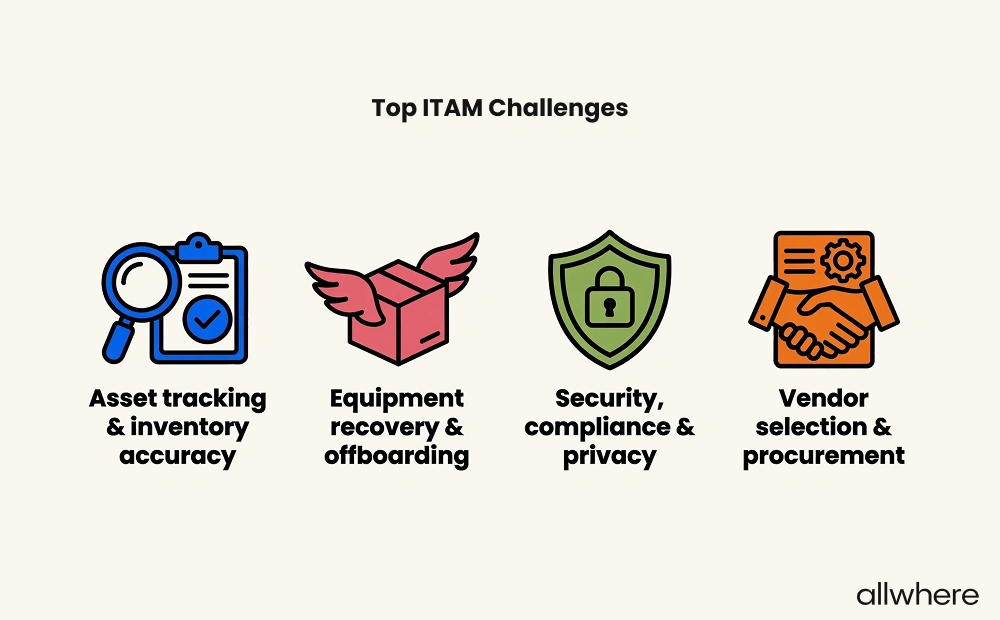
Note that asset tracking and inventory accuracy are ranked as the top ITAM challenge by today’s businesses, which confirms the importance of efficient inventory management.
And if you’re wondering how most companies go about IT procurement in the ITAM process, 39% purchase directly from a manufacturer, 27% buy from a retailer, and 34% go through an IT reseller.
Stage 2: Deployment
Simply put, deployment is the act of distributing IT assets to your workforce.
Once they’ve been procured, the next step in the asset management process is to get the right devices to the right employees.
There can be a few steps involved with this, with one being device inspection to make sure each order is correct and there’s no damage or defects to equipment.
Next, there’s configuration, where you may install relevant work software and apps onto devices and set up employee accounts.
There’s also security, where you may install security software and set access controls so employees only have access to what they truly need without taking unnecessary risks with asset data.
If a large percentage of your workforce is remote or hybrid, a big part of operational efficiency is using asset tracking to monitor a device’s status as it makes its way to its intended destination.
And if you have a significant international workforce, you’ll need to take into account things like international shipping logistics, customs, tariffs, and potential shipping restrictions.
If this isn’t something you’re comfortable with, you may want to consider using IT asset management services like allwhere to handle this process for you.
Stage 3: Maintenance
Some companies think that once an asset is in an employee’s hands, their job is done. But a critical part of maximizing asset lifespan and performance is to make maintenance a fundamental part of the asset management process.
There are a few elements involved with maintenance throughout the asset lifecycle.
One is warranty management, where you keep track of when warranties expire, ideally using automatic notifications to keep you in the loop.
Another is software and security updates, where the appropriate updates are made throughout a device’s lifespan to keep it working correctly and securely.
You’ll also want to bake repairs and troubleshooting into asset lifecycle management, as this comes with the territory of operating hardware at scale.
Finally, you’ll want to stay on top of asset performance and track a device as it moves throughout its lifespan.
Once a device is approaching the end of its useful asset life, your ITAM strategy should provide guidelines on when to remove it from your inventory.
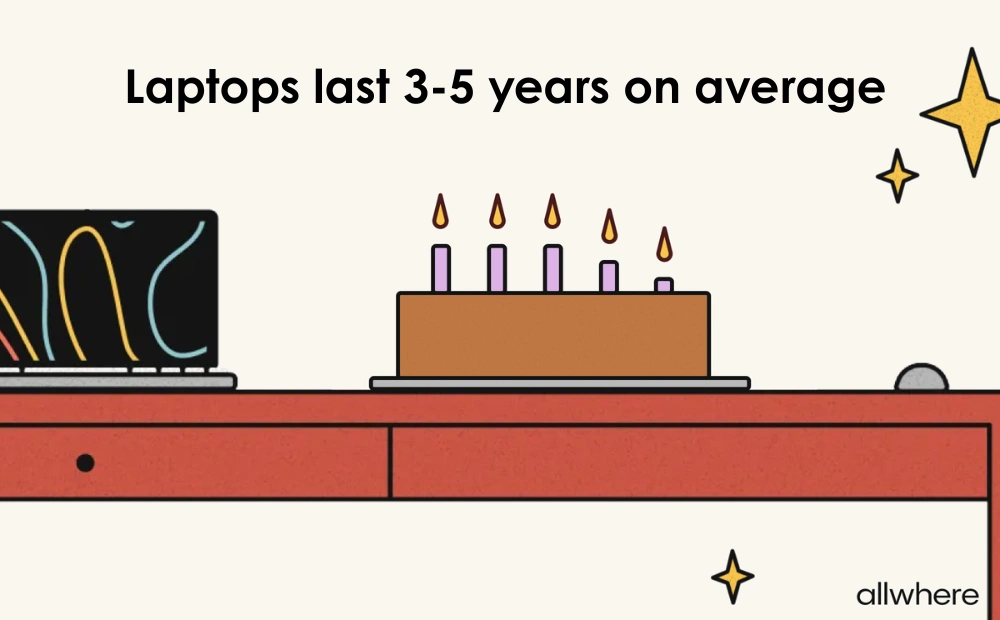
For instance, a laptop typically lasts three to five years on average and should be replaced before it negatively impacts performance.
Stage 4: Retirement
Inevitably, every IT asset will reach the end of its lifespan, which brings us to the final stage of the asset management process — retirement.
It’s at this point that you need to have a strategy for retrieving a device and then either reselling, recycling, or disposing of it.
There are two main components involved with successful retirement, with one being security.
Any time a device contains sensitive asset information, security is a major concern. That’s why you’ll want to use a technique like asset data wiping to ensure asset data is properly erased.
The other is efficient equipment recovery, which is especially important when dealing with remote employees.
Our survey found that equipment recovery and offboarding were listed as the second biggest ITAM challenge among respondents.
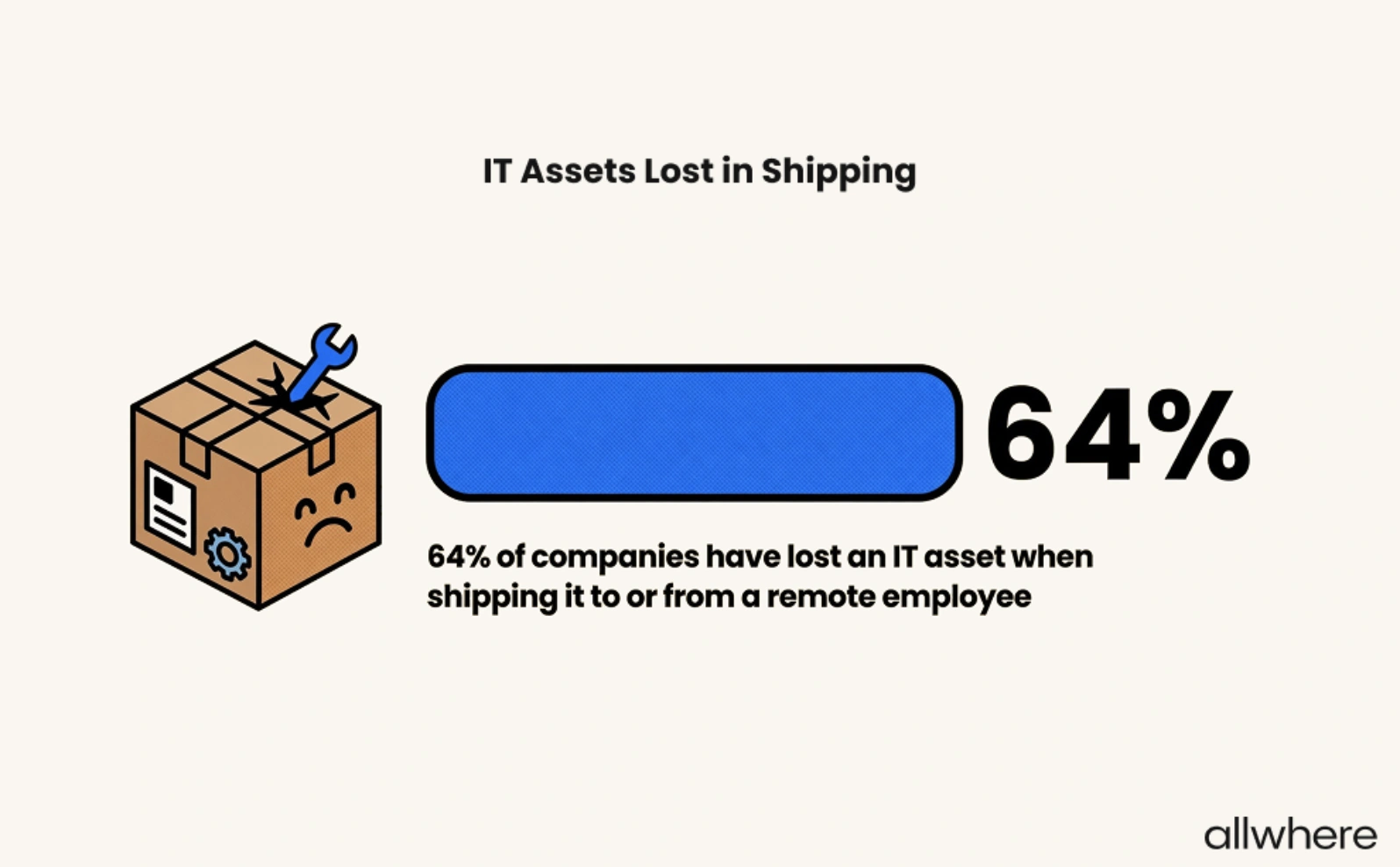
More specifically, losing IT assets in shipping is a major problem, with 64% of companies saying they’ve lost an IT asset at some point.
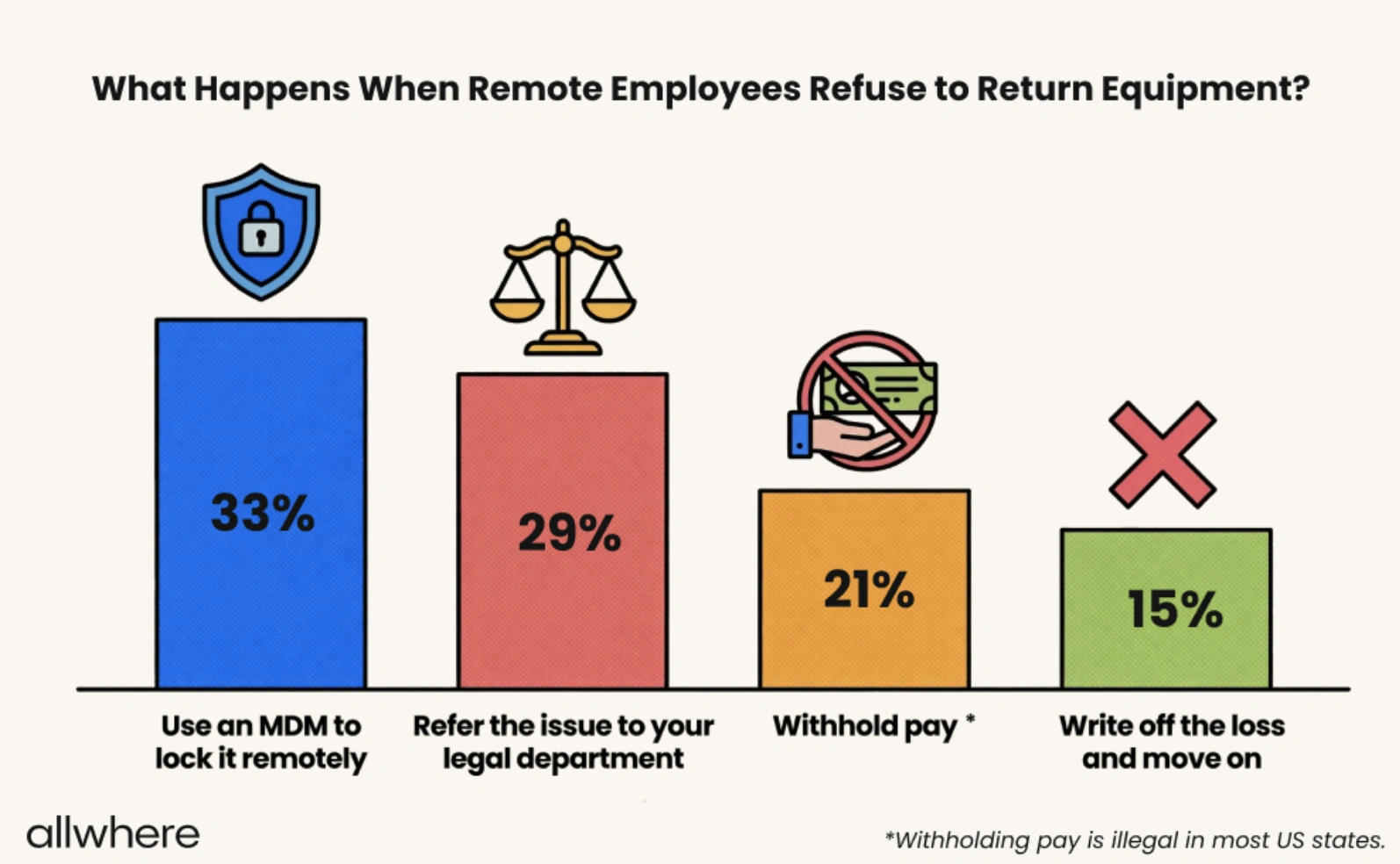
Another is having employees refuse to return equipment. That’s why you need to have a game plan in place for what you’ll do if this happens.
Here’s how other companies handle it.
Why Every Successful Company Has an IT Asset Management Workflow
Even smaller companies with just a handful of assets can feel overwhelmed with the stages mentioned above — requisition, procurement, deployment, maintenance, and retirement.
But for those with a larger, growing IT infrastructure, the logistics can be incredibly overwhelming.
Having an asset lifecycle management workflow in place is critical to a company’s success because it offers a sense of structure and standardizes processes to enable them to juggle dozens, hundreds, or even thousands of assets at scale.
Whether it’s hardware asset management, software asset management, or cloud asset management, there’s a clear game plan on how to approach the process.
Asset lifecycle management outlines who’s involved, what the chain of command is, who’s responsible for what with service management, and how to handle different situations.
Rather than handling asset lifecycle management on the fly, an organization tackles it proactively. And that’s essential for increasing visibility, boosting efficiency, strengthening security and compliance, improving ROI, and more.
And by continually refining an asset lifecycle management workflow as a company gathers more asset data, the processes only get better and better.
How allwhere Makes the Workflow Seamless
Using a combination of asset management software and service management, allwhere offers truly end-to-end asset lifecycle management.
We source and deploy quality equipment from a wide network of reputable vendors. From computers and monitors to mobile devices and accessories, we create customized kits for employees based on their specific needs, role, and geography.
We handle all of the logistics and communication with both vendors and employees to ensure each device reaches its correct destination on time. All the while, we offer robust asset tracking from a single dashboard so you always know the status of each device.
You can also use our built-in dashboard for asset discovery and to manage your entire IT inventory. So, at a glance, you know which employee has what device, where the device is located, and when it’s in storage or transit.
And when it’s time for retrieval, we handle that as well and will send a retrieval kit with a shipping box, return label, packing materials, and instructions.
If you’re looking for a hands-off asset lifecycle management workflow and don’t want to deal with the logistical headaches, allwhere is one of the best IT asset management companies in the industry.
Closing Thoughts
When the goal is to create a reliable, repeatable process that covers the full spectrum of IT asset lifecycle management, building an ITAM workflow is a no-brainer.
By having a strategy for requisition and procurement, deployment, maintenance, and retirement, your asset manager and entire team will have a clear overview of what’s happening and know how to approach every situation.
In turn, you can operate with far greater efficiency and less friction, all while eliminating many of the challenges that come with having a remote/hybrid workforce.
FAQs
What are the 5 P’s of asset management?
The five P’s refer to:
- People - Your asset manager, stakeholders, and any other staff who are trained in managing assets and change management.
- Processes - The policies, workflows, rules, and guidelines that dictate how you approach hardware asset management and software asset management.
- Performance - Any KPIs you use to determine how well your asset management lifecycle is performing.
- Platform - The tools you use, such as asset management software, that allow you to manage this area of operations.
- Planning - The long-term strategies you use to optimize your asset management lifecycle.
What are the best practices for IT asset management?
Creating a centralized asset inventory through an asset management tool is a great starting point as an asset management best practice.
Pre-configuring devices with employee logins, access controls, and security software is important. Using automation to streamline updates like adding or removing devices and sending maintenance notification reminders is extremely helpful.
Also, having clear-cut security procedures like wiping an existing asset after retrieval is crucial for keeping asset management safe.
And if you’re at all concerned about asset discovery and logistics, using asset management software or services like allwhere is a smart move.
