

Article by

Topics

One platform to manage the entire IT device lifecycle
GET STARTEDWhile managing physical assets like laptops and mobile devices is a core part of IT asset management, there’s much more to it than that.
With many companies having a strong digital infrastructure, cloud asset management is equally important. Here’s everything you need to know to take control of your cloud asset lifecycle.
What is Cloud IT Asset Management?
This refers to managing any assets that operate in a cloud-based environment. Some common examples include SaaS subscriptions, software licenses, cloud storage, and virtual servers.
As with traditional ITAM, the goal with cloud asset management is the same — increase visibility, tighten security and compliance, optimize spending, and boost your ROI.
Cloud Asset Management vs. Traditional ITAM
Traditional ITAM typically involves managing physical assets such as desktops, laptops, tablets, smartphones, accessories, and peripherals.
With traditional IT asset lifecycle management, organizations maintain an inventory of physical assets, track device locations, who has them, their condition, and when they need upgrades or repairs.
And when devices are in storage or transit, companies also track them for comprehensive IT infrastructure management.
Cloud asset management, on the other hand, involves managing cloud-based assets. As we just mentioned, some examples include SaaS subscriptions, software licenses, cloud storage, and virtual servers.
Basically, any asset located in a cloud environment falls under this category.
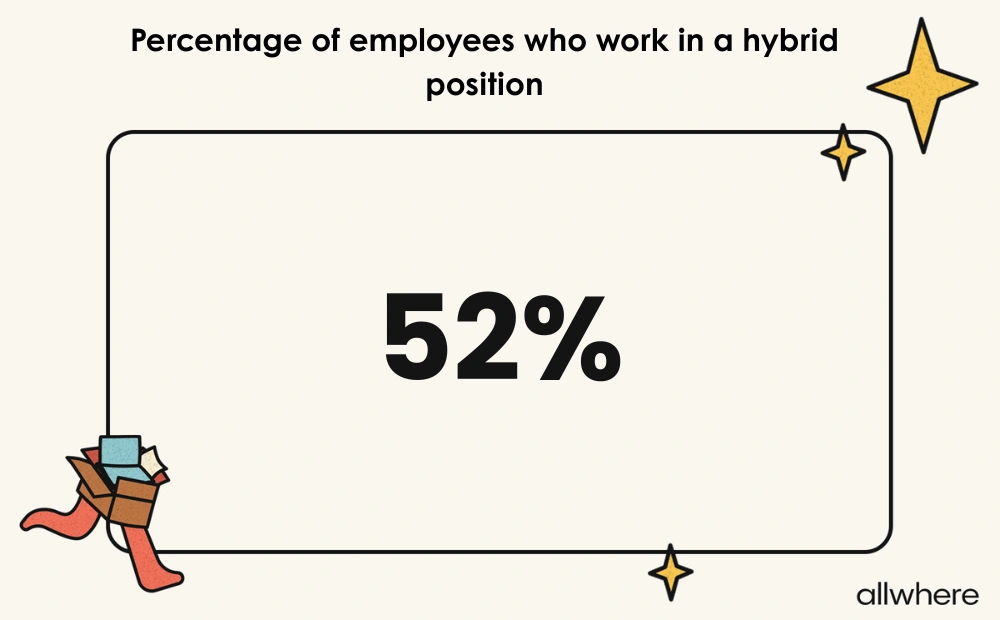
Given that 26% of employees worked exclusively remote in 2026, and just over half worked in a hybrid position, this means that many assets now live outside of one office, and cloud assets have become increasingly common.
Whether it’s backing up data onto a platform like Google Cloud, using a SaaS-driven messaging tool like Slack, managing software licenses from a single dashboard, or anything else, there’s a growing need for cloud-based management among many of today’s companies.
And this has been a key contributor in driving this shift, with more and more organizations getting on board.
What Cloud IT Asset Management Tracks
Now, let’s dive a little deeper into the specifics of managing cloud environments based on different types of technology.
Cloud asset management for SaaS products could include managing things like:
- Active subscriptions
- Subscription tiers
- Authorized user accounts
- Permission levels
- Subscription expiration
- Renewal dates
For licenses on software assets, this can involve:
- Active licenses
- License costs
- Subscription expiration
- Renewal dates
For cloud platform storage, this can include:
- Database storage capacity
- Data consumption
- Projected storage needs
- Ownership
- Configuration
- Data security and compliance
And for virtual servers, this can involve:
- Server configuration
- Ownership
- Server utilization
- Virtual machine access controls
- Security and compliance
- Costs
Rather than having this data scattered across multiple applications, cloud asset management condenses everything into a centralized platform for a single point of truth for simple, convenient tracking.
Note that up until this point, we’ve only talked about cloud asset management for strictly managing cloud-based assets. But most IT asset management services and software can be helpful for tracking the hardware lifecycle as well.
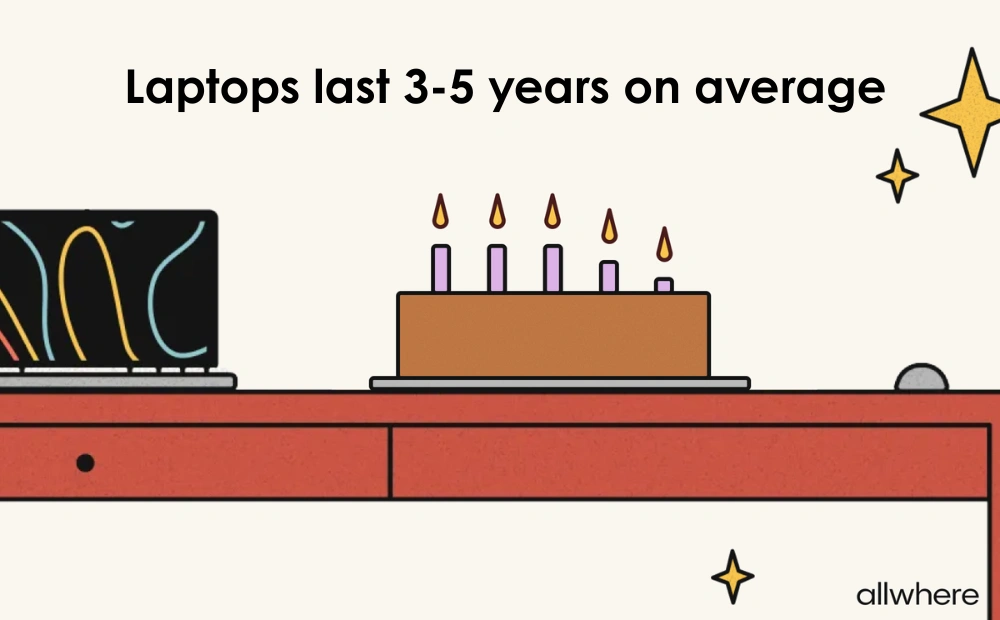
For instance, our own research confirmed that laptops typically last three to five years, with the average lifespan being 3.7 years.
By using software asset management and service management like allwhere, you can keep close tabs on the entire hardware lifecycle, including procurement, deployment, storage, and retrieval.
So if you’re a cloud-first or distributed company, you can seamlessly manage the physical device lifecycle while integrating your IT inventory with your existing MDM, ITSM, and cloud management tools.
That way, you can follow it end-to-end to optimize the hardware lifecycle, which offers several benefits, such as heightened device performance, increased security and compliance, streamlined device recovery, and smoother refreshes.
How to Implement Cloud IT Asset Management
Effective IT asset management for cloud assets, or any other assets for that matter, starts with formal cloud asset management software.
In our modern tech-centric business world, formal software is considered table stakes, with 93% of IT teams using ITAM software versus just 7% using spreadsheets.
This type of asset management solution offers a ton of features and benefits.
First, it allows you to create a cloud asset inventory where, at a glance, you have a detailed overview of every single cloud asset in your inventory. And whenever you add or remove future assets, your inventory will automatically update so you always have an accurate bird’s-eye view.
Next, it provides you with up-to-date information we mentioned earlier, like details on:
- Asset ownership
- Asset utilization
- Subscription tiers
- Authorized user accounts
- Permission levels
- Security and compliance
- Renewal dates
Besides that, an asset management tool paves the way for a high level of standardization and team-wide communication to avoid data siloing, putting everyone in the know.
The key to successfully using cloud asset management tools is to:
- Determine which cloud assets you want to manage
- Identify which specific cloud resource information you want to keep track of
- Look for tools that offer outstanding service management
- Seamlessly integrate the software with your current tech stack
- Use consistent tagging practices for cloud assets
- Automate as much as possible (e.g., asset discovery, configuration management, and approval workflows)
- Set access controls on any platforms you use to set boundaries on what employees can access
And, of course, you’ll want to use the data you gather to continually refine and optimize your processes to get the absolute most out of your cloud based asset management software.
Cloud IT Asset Management Best Practices
Just like with hardware, the cloud infrastructure of most companies is constantly expanding. That’s why one of the most important IT asset management best practices is to use continuous automated discovery to ensure accurate cloud inventory management.
Using outdated manual methods, for instance, can be meticulous and error-prone.
But with asset management software like ServiceNow IT Asset Management, ManageEngine AssetExplorer, Asset Panda, or InvGate Asset Management, you can automatically add new cloud assets to your cloud computing inventory.
And when it’s time to remove old assets, you can do that as well without manual effort.
In turn, cloud environments are perpetually refreshed for maximum visibility.
Next, you should establish a clear chain of command with your cloud asset management so it’s always clear who’s responsible for what and who answers to whom.
For example, you may assign a particular employee to monitor SaaS subscriptions and software licenses, and they may report updates to an IT manager.
It’s also vital to keep close tabs on asset usage within your cloud environment. In many cases, an organization will have at least a few underutilized cloud assets, which 1) works against cloud cost optimization and 2) makes your overall asset management process less efficient.
But by carefully monitoring utilization, you can identify which digital assets you’re truly using and which could be removed from your cloud environments to improve efficiency and ROI.
Common Cloud Asset Management Challenges
Due to the number of moving parts in cloud-based asset management, there are many difficulties organizations can encounter.
In our ITAM survey, we found that one of the most common challenges was a visibility gap, where only 80% of respondents were “very confident” they knew where all their assets were at any given time.
Conversely, 20% reported that they were only “somewhat confident” about where their assets were.
This asset data indicates that many companies could benefit from better cloud asset tracking and using a single dashboard to have a real-time big-picture view of everything within their IT inventory.
Another challenge involves shadow/unmanaged devices. allwhere’s own remote work research found that 81% of today’s remote workers use a personal device, with 7% reporting that they do it always, 28% doing it often, and 46% doing it sometimes.
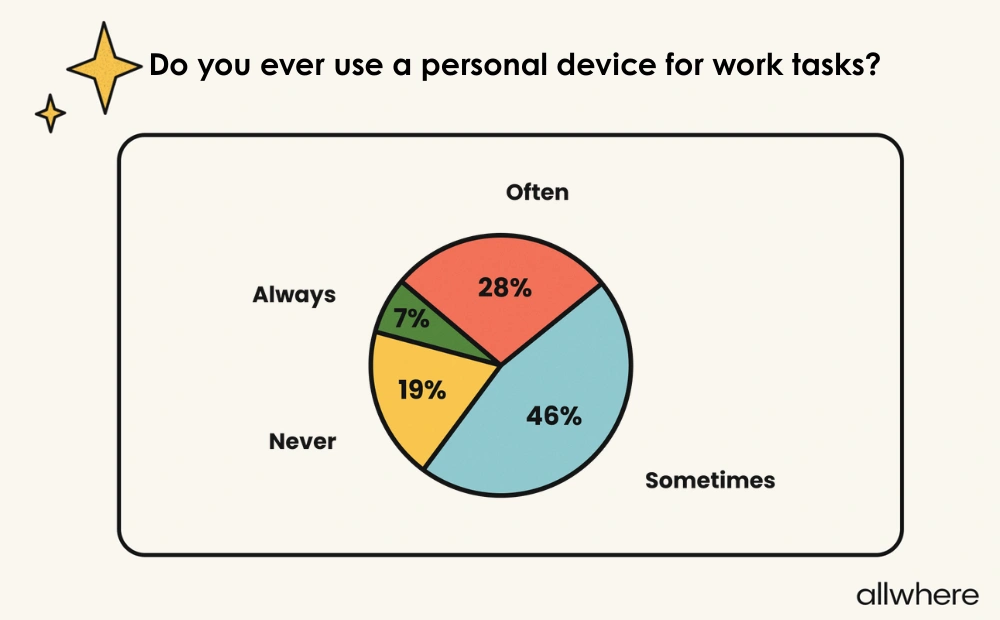
Further, 15% of employees said that they regularly accessed company information on an unsecured device.
This asset data shows a major security risk for many companies and the need to ensure employees only use secure devices. It also means that having clear security and compliance policies in place is something else modern companies should urgently address.
Additionally, there’s a recovery gap for many businesses, where 24% of workers never returned former-employer equipment, and 21% said they were never even asked.
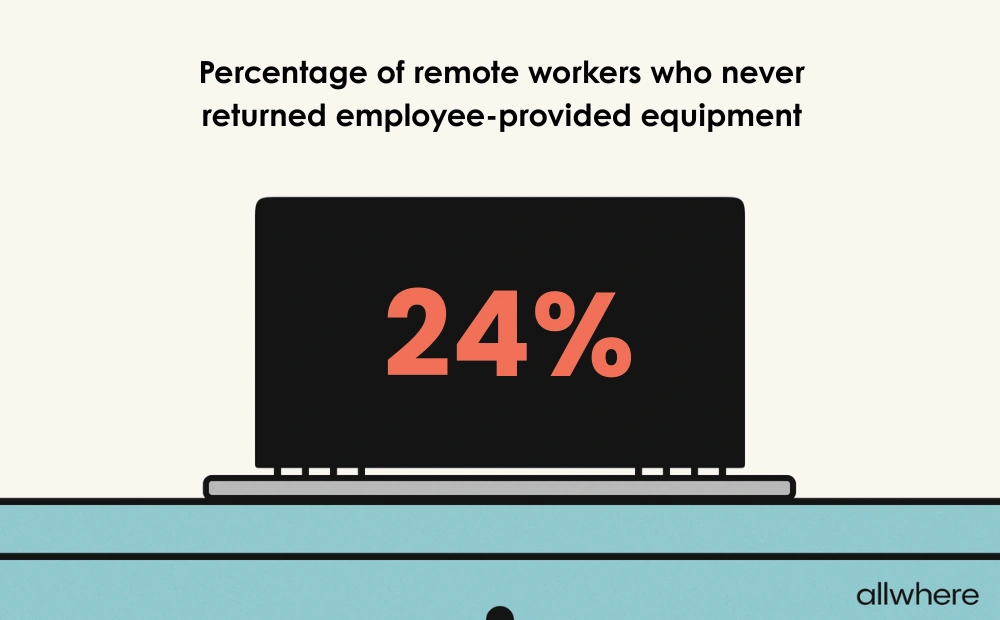
This means companies need to have efficient retrieval workflows in place to ensure quick equipment retrieval or partner with a professional that provides this service.
For example, allwhere offers simple device retrieval where we send employees a retrieval kit with a return box, return label, packing materials, and return instructions for a hassle-free experience.
And for workers who refuse to return equipment, you should have a policy in place on how to handle that.
What to Look for in Cloud Asset Management Software
As we mentioned earlier, using asset management software is ubiquitous for most of today’s companies, with 93% using formal software versus just 7% using spreadsheets.
This, along with mobile device management (MDM) and real-time asset tracking, should be considered baseline criteria for efficient cloud asset management and keeping this area of operations running smoothly.
As for specific elements to look for in a cloud asset management tool, automated discovery and asset tracking are two of the most critical.
They allow you to efficiently locate cloud based assets like Google Cloud and track them throughout their lifecycle without manual effort, provide complete visibility, and put you in the driver’s seat when managing your cloud infrastructure.
Piggybacking on this, automated notifications are also important, as they can save you time by not having to constantly devote manual effort to staying on top of things like subscription expirations and renewal dates.
Another important element is a single unified dashboard where you can monitor your inventory with ease and generate reports to identify trends and patterns.
This can provide insights on things like asset utilization so you can tell which assets are genuinely integral to your business and which aren’t being used as much as they should.
And because security and compliance are so critical, you’ll want to look for software that has robust security features baked into their product, as well as security and compliance reporting so you can identify potential weaknesses that could be exploited.
The best IT asset management companies take this seriously and will have clear processes in place to keep your asset data secure and compliance in check.
Benefits of Cloud IT Asset Management
For starters, most companies see a significant time payoff.
Survey data found that 62% of IT teams spend 11 hours or more per week on ITAM, and 37% spend 21+ hours.
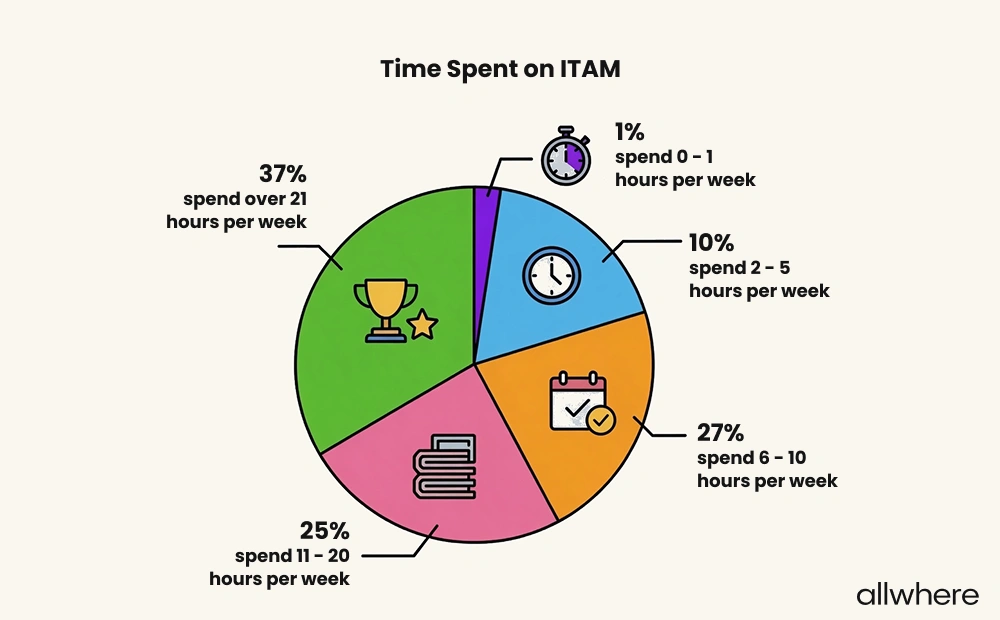
Cloud automation helps reclaim a good chunk of that time so your team is free to focus on other areas of business rather than being bogged down with ITAM tasks.
As we’ve mentioned throughout this post, another major advantage is increased visibility.
Without a clear strategy and ITAM software in place, you’re basically flying blind, and it’s easy to forget what cloud assets you have, how they’re being used, and how much you’re spending.
But with cloud asset management, you should have a much tighter grasp on your cloud asset ecosystem for a detailed overview that leaves you positioned for smarter, more data-driven decision-making.
Besides that, you’re almost guaranteed to have increased security and compliance, as well as streamlined asset procurement management.
Not to mention, there’s often a correlation between effective cloud asset management and smoother employee onboarding and a better overall employee experience. And this is something that’s integral to improving your long-term employee retention rate.
Getting Your Cloud Assets Under Control
When many companies hear ITAM, they think of it in the context of managing physical assets, which is true. But as we’ve learned, it extends far beyond this to cloud assets as well.
By using the right solution and smart service management, you can gain better control of your cloud assets, boost visibility, automate workflows, improve asset lifecycle management, and much more.
